W-9 form
Fill out your W-9, review the official certification, and add your signature before downloading a copy for your requester.
Fill and preview free. Free account required to download. No credit card required.
Fill this form Open the official blank PDF ↗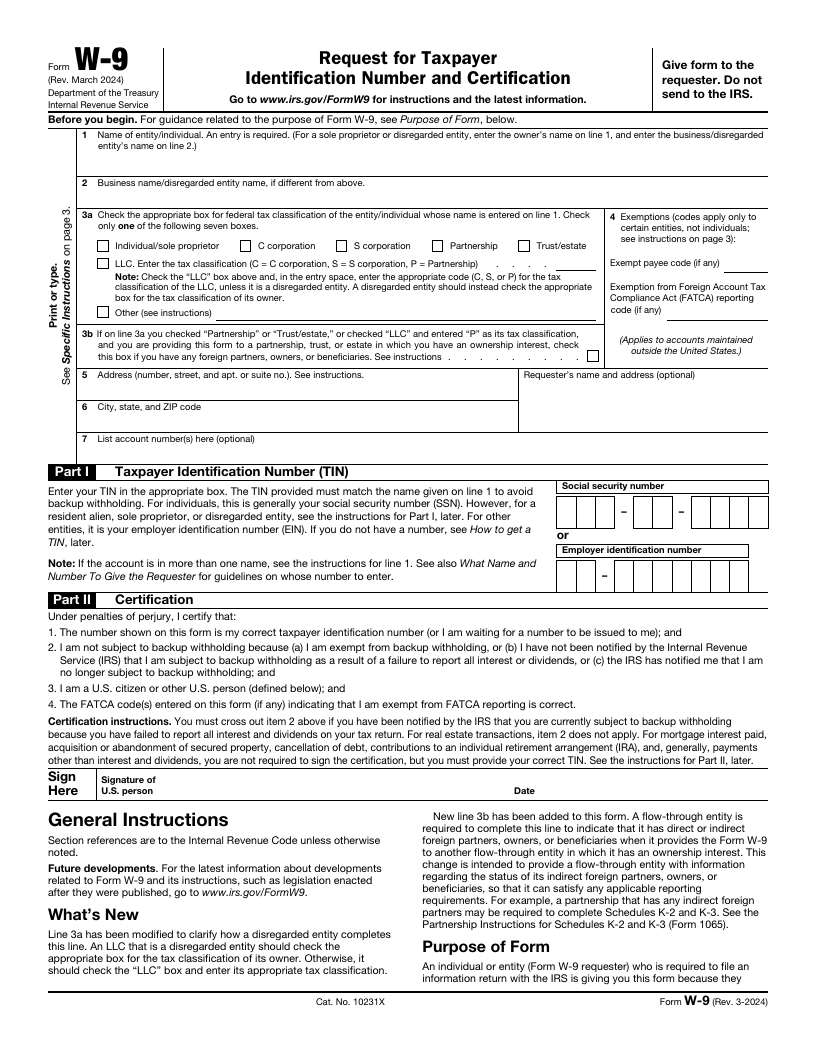
Who this is for
U.S. persons who have been asked to provide a taxpayer identification number and certification to a payer or other requester.
Have these details ready
- The name and tax classification that apply to you
- Your address and taxpayer identification number
- Any exemption information that applies to your situation
How to complete it
- Enter your details using the guided fields. Consult the IRS instructions if you are unsure which classification or TIN applies.
- Review all six pages of the official form. Make any required certification changes, then add your signature and date where appropriate.
- Preview your result, create a free account to download, and return it securely to the requester. This does not file anything with the IRS.
Before you begin
Is this the official W-9?
The starting document is the IRS Form W-9, revision March 2024, including its instructions. PearSign provides the filling and signing tools and is not affiliated with the IRS.
Where do I send the completed form?
Give it to the person or organization that requested it. The W-9 itself says not to send it to the IRS. Confirm the recipient before sharing taxpayer information.
Which tax classification should I choose?
Use the classification that applies to the person or entity named on line 1. Read the official instructions for LLCs and disregarded entities; PearSign does not choose a classification for you.
Need someone else to complete a form?
See how PearSign’s client fill-out forms and signature requests work.